Canva
Import your Canva designs into Quillfleet
Bring the designs you make in Canva straight into your media library, without downloading and re-uploading them, and use them in every post you publish.
How it works
From Canva to your post in four steps
Step-by-step instructions are in the help center: Import from Canva.
1. Connect Canva
An owner or admin connects one Canva account for the whole workspace on the Integrations page, or each member connects their own. Quillfleet asks Canva for read-only access.
2. Choose your designs
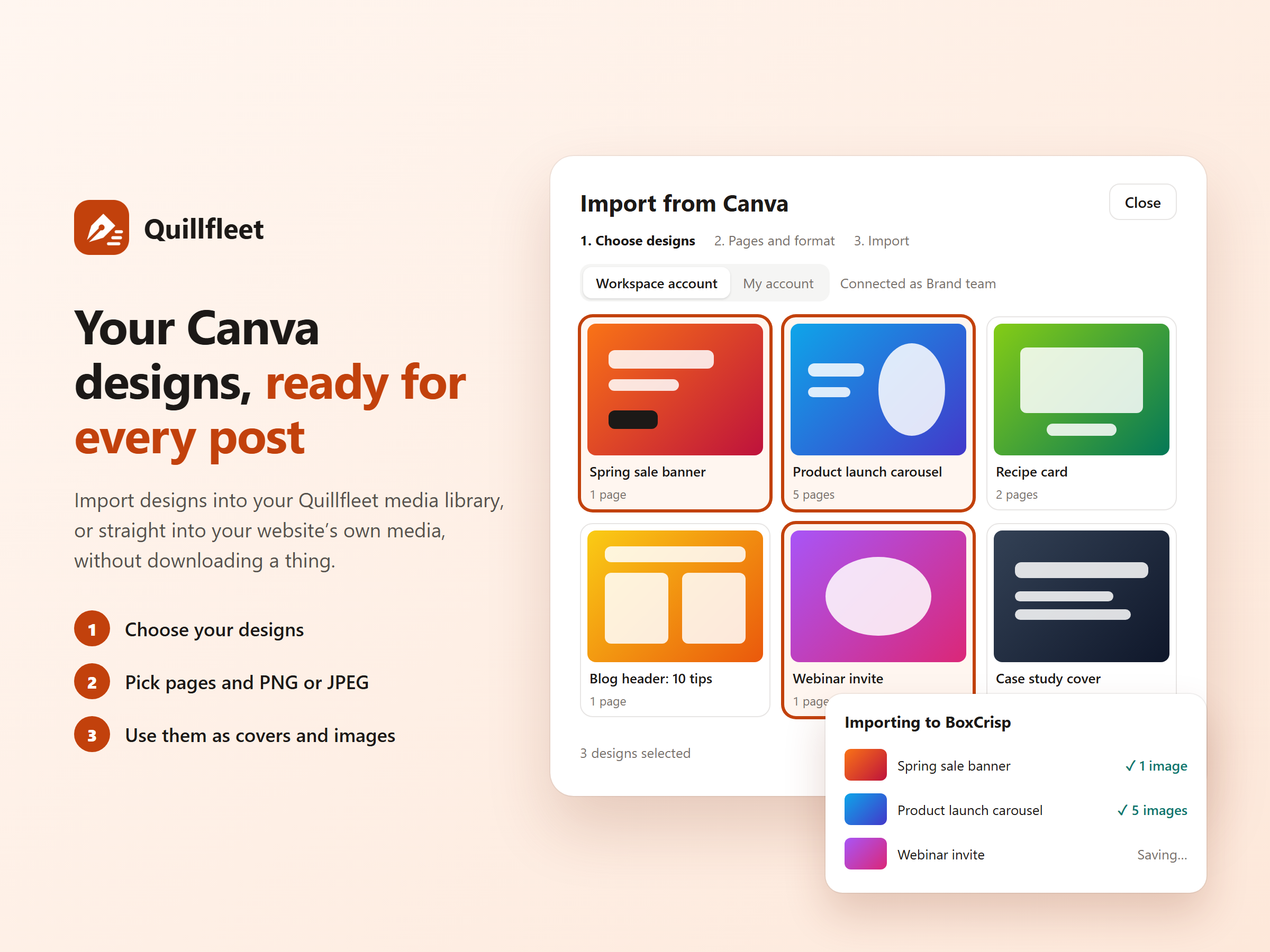
On the Media page, click Import from Canva, then search and pick up to 20 designs at a time.
3. Pick pages and a format
Import every page or only the ones you need, as PNG for sharp graphics and text or JPEG for smaller photos.
4. Use them in your posts
Each page becomes an image in your library, ready to use as a cover image, a social image or a picture in the text.
Good to know
Made for teams that publish a lot
One account for the team, or your own
Share a brand or team Canva account with everyone in the workspace, so nobody has to connect their own. Members can still switch to their personal account.
Saved where your site needs it
Imports go to the place chosen under Store uploads on: Quillfleet's media storage, or directly into a connected website's own media, such as the WordPress media library.
Read-only and encrypted
Quillfleet can list and export your designs, never change or delete them. Canva tokens are stored encrypted and never reach the browser.
Sized for the web
A page that comes out over the upload limit is saved again as a smaller JPEG automatically, so large designs still import.
Clear progress, easy retries
Every design shows its progress while it imports. If one fails, retry it; pages already saved aren't imported twice.
Disconnect any time
Disconnect from your Account page or, for the workspace account, the Integrations page. Images you already imported stay in your library.
Read what Quillfleet receives from Canva in our privacy policy. Canva is a trademark of Canva Pty Ltd. Quillfleet isn't affiliated with or endorsed by Canva.
Your designs, ready for every post.
Create a free Quillfleet account, connect Canva, and publish your next post with your own designs to all your sites at once.